01AI video analytics
Your cameras see.
TEBORAI reveals what matters.
Turn your existing CCTV into an intelligent system for detecting security events, with video-supported alerts.
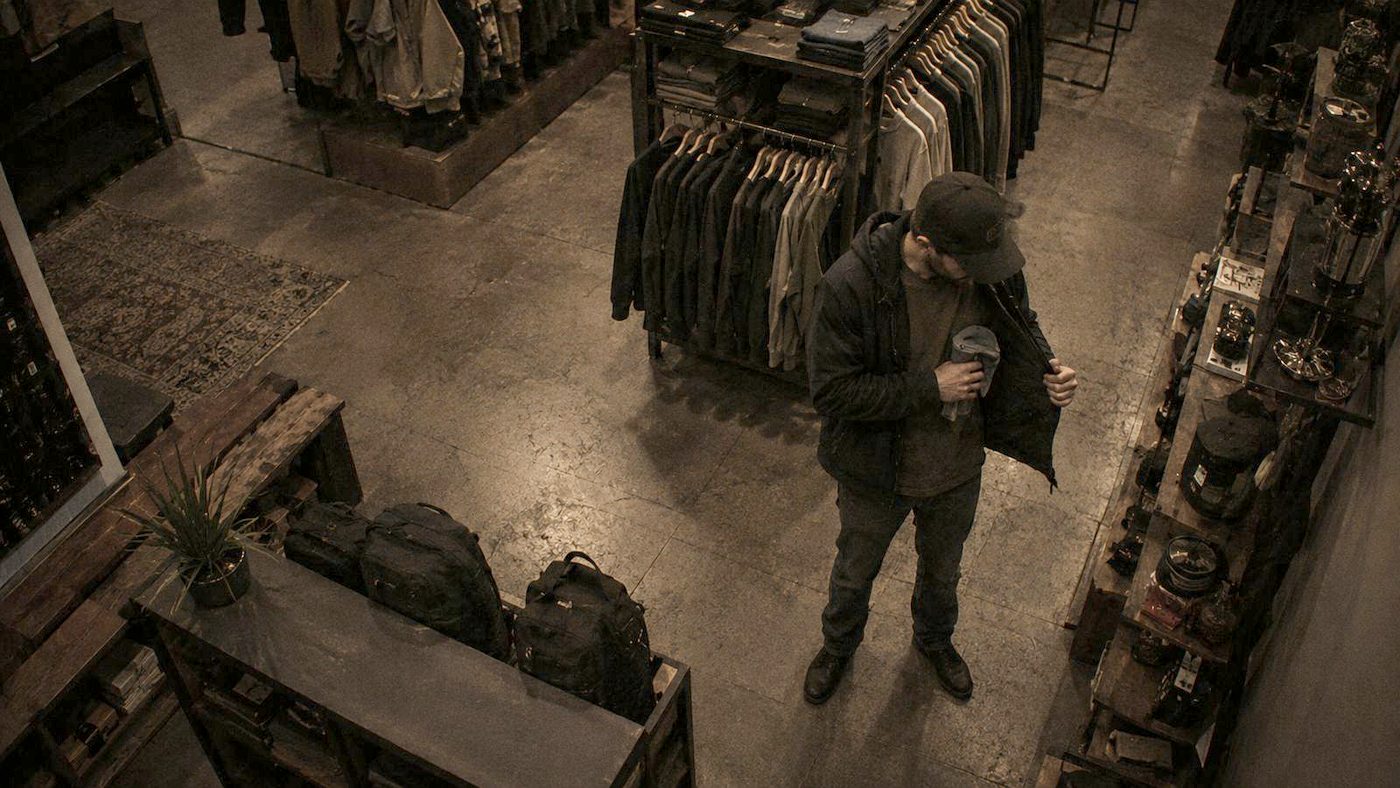 THEFT
Camera 04 · Fashion aisle ·
10-second clip
- Scene observed
- Movement tracked
- Event identified
- Alert sent
- Clip ready
Simulation: frames and alerts are illustrative, not customer footage.
THEFT02Comparison
Same scene. Different outcome.
Drag the line to see what standard CCTV shows — and what TEBORAI turns into an alert your team can act on.
Attention
Operators see a fraction of screens
Every camera analysed continuously
Timing
Incidents found when footage is reviewed
Alert the moment the event happens
Evidence
Searching hours of video
A clip ready with every alert
Follow-up
No clear state or log
New · review · acknowledged · closed
03Solutions
Seven modules. One system.
Switch on only what you need — on the same cameras. Pick a module to see how it detects.
THEFTShoplifting
Detects items concealed in bags or clothing and alerts security while the person is still in the store.
04Control center
Every branch. One screen.
Try the TEBORAI dashboard: pick a branch, filter by module and review an alert the way your team would.
Alerts
Industries
Built for retail and operations networks
Where loss and safety are a daily responsibility across dozens of sites.
Supermarkets & hypermarkets
Long aisles, heavy traffic and small, repeated losses.
Theft · intrusionElectronics & luxury
High value per item and a need for fast response.
Theft · weapons · facesPharmacies
Small, high-demand products and long opening hours.
Theft · knivesShopping malls
Multiple entrances, large crowds, central security.
Weapons · faces · platesFashion & specialty retail
Fitting rooms and back-of-house storage.
Theft · intrusionWarehouses & logistics
Wide perimeters, night shifts and vehicle gates.
Intrusion · smoke · platesBy role
One platform. Different priorities.
Clearer operational visibility across the network
Better information for loss management and decisions — without a new infrastructure project.
- One dashboard for every branch and city
- Incident reports by branch and type
- Pilot on two branches before scaling
05How it works
Three steps. No new hardware.
Connect cameras
We connect to your existing IP camera or recorder streams — and check compatibility first.
Configure modules
You choose modules, cameras, zones and working hours per branch.
Review alerts
Video-supported alerts in the dashboard, with a state and log for every incident.
Pilot path
An example of a typical pilot — details are agreed with your team.
- Week 1Intro call: sites, cameras, priorities.
- Weeks 1–2Compatibility check and connection of selected cameras.
- 30–60 daysRunning on one or two branches with regular alert reviews.
- End of pilotReview results together and decide on rollout.
06Business impact
Model a scenario for your network
Enter your own numbers. The result is a hypothetical scenario to help you think, not a promised outcome.
- Loss and percentage come from your input; we use no advertised success rate.
- Scenario = loss × the percentage you chose.
- Pilot scope: one location up to 5 sites, two locations above that.
07Technology & trust
What your technical team will ask
Clear answers before the first meeting — details are confirmed per project.
- Video source
- RTSP streams from cameras or your existing recorder
- Deployment
- On-premise or cloud — agreed with your team per project
- Network
- Secure access to streams; no camera changes
- Access
- User accounts and roles in the dashboard
- Documentation
- Deployment architecture and server requirements on request
Arabic experience
Dashboard, alerts and training in Arabic.
Privacy
Facial recognition only runs on watchlists your organisation defines, under a clear usage policy.
Review log
Every alert has a state, owner and timestamp in the dashboard.
Compatibility first
We check cameras and streams before any pilot begins.
08Book a demo
See TEBORAI on your case
A 30-minute live demo with our team.
- 1We review your request within one business day
- 2We agree a time for the demo
- 3We show TEBORAI on your network scenario